
100+ metrics. Ready to use.
Revenue, contribution, marketing efficiency and forecasts. Choose the measures your report needs.
Metrics
MetricsReport configuration
2metrics selected for this report
Self-serve analytics
Explore the business yourself. Choose a metric, change the dimension and follow the detail, with commerce data already modeled for the way you work.
 Wool Henley€8,000
 Oat knit€5,000
 Linen polo€5,000
 Twill chino€2,000
Change the metric or dimension. The underlying data stays the same.
Used by the teams at










Inside Dema
Bring headline metrics, product tables and performance comparisons into one dashboard. Keep the filters and period in view as you move between the overview and the detail.
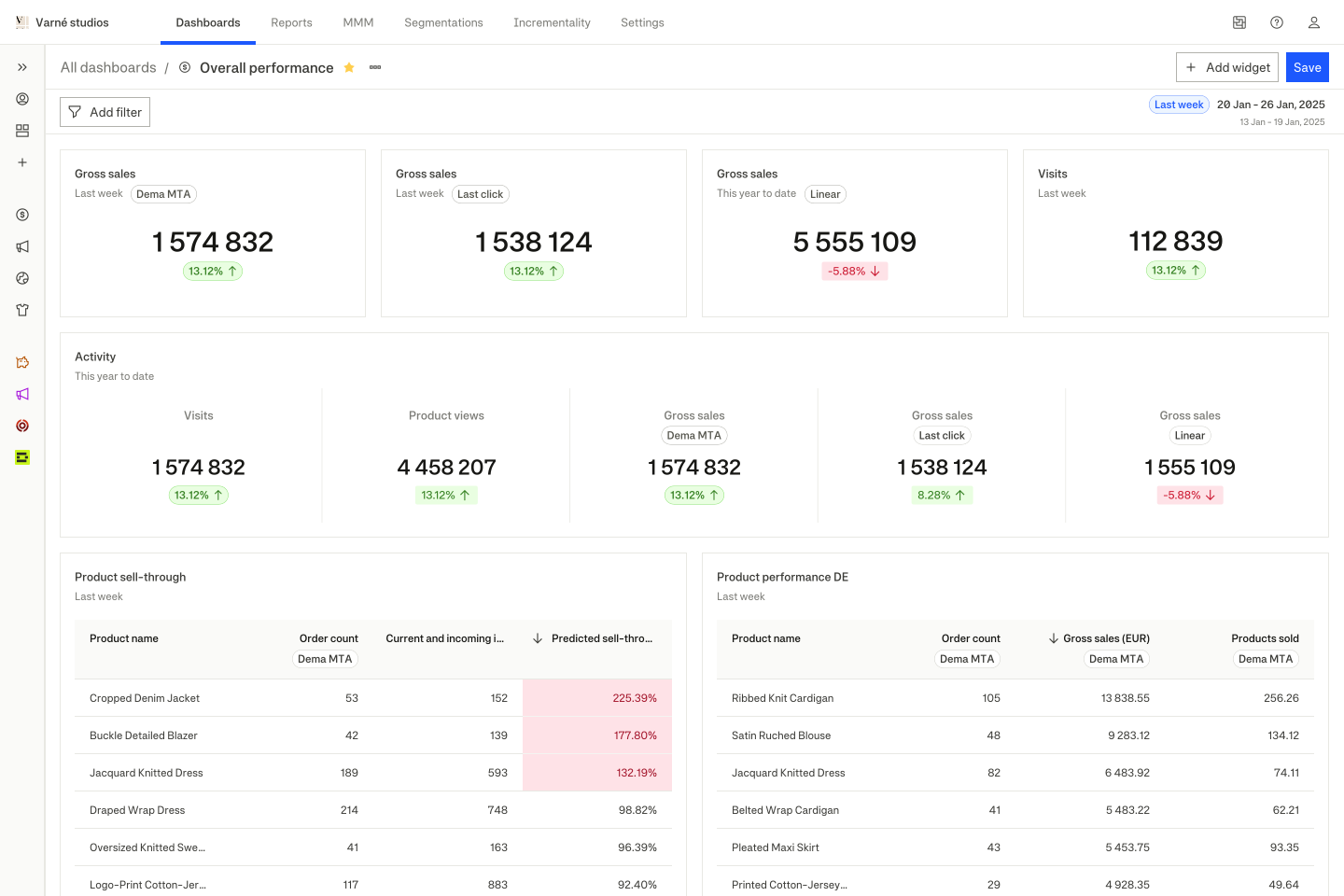
Make the analysis yours
Pick the metrics, group by a dimension and narrow the view with filters. The same report can answer a different question without starting over.
Revenue, contribution, marketing efficiency and forecasts. Choose the measures your report needs.
Break the number down by market, channel, product, cohort or time. Add the detail that answers your question.
Place forecasts next to actuals and use them in the same reports.
Compare product performance with stock and weeks of cover.
Linen polo8 weeksOat knit3 weeks Boxy tee1 week
Compare demand with what’s actually available.
A common language
Reports, dashboards and the agent work with the same modeled metrics. Changing how you explore the business doesn’t need to change what the numbers mean.
Use a report for one investigation. Bring several reports into a dashboard when the team needs a recurring view.
Ask the next question in chatAfter costs. After advertising.
Part of the platform
Marketing mix modeling, incrementality testing and causal attribution are built into Dema. Bring that evidence into your questions, budget reviews and recurring workflows, alongside the rest of your commerce data.

“Dema has been a game-changer for our brand. It's given us the clarity and control we needed to scale profitably, ensuring we make the right decisions across inventory, marketing, and product strategy.”

Jorge de Castro
COO
Questions
No. Everything is point-and-click. Pick metrics, choose dimensions, set filters, and the analysis runs instantly on modeled data.
100+ metrics across revenue, profit, marketing, inventory, customers, and sessions. 40+ dimensions including market, channel, campaign, product, category, brand, size, cohort, device, and time granularity from hour to year.
Yes. Built-in period comparison supports WoW, MoM, YoY, and fully custom date ranges. Changes are shown as absolute and percentage differences.
A report is a single saved analysis with one set of metrics, dimensions, and filters. A dashboard composes multiple reports into one screen with shared filters, designed for recurring monitoring.
Yes. Share via link, and everyone sees the same live data. No static exports. The dashboard updates in real time.
The agent and the data explorer run on the same data model. Use the explorer for hands-on control. Use the agent for plain-language questions. Both return the same numbers.
Bring one commercial job
Build with Dema.
